
jQuery after()
0 2122
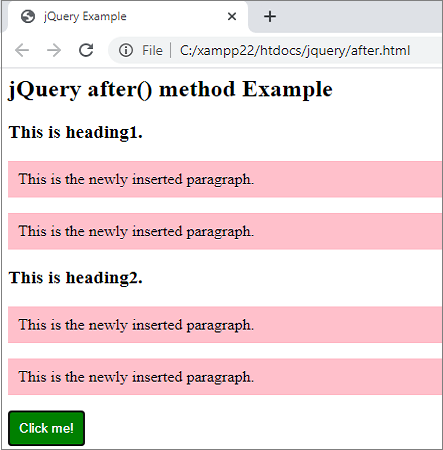
- This jQuery method is used to add the given content after the selected HTML elements means this method insert a new element specified by the user after the every matched element.
Related Topics:
jQuery css
jQuery val
jQuery after
Syntax:$(selector).after(content, function(index));Parameter description:
- content: This represents the contents which to be insert after the selected elements. It can be either plain text or it may contain HTML tags. It is a mandatory parameter. Possible values for this parameter are: 1 HTML elements 2 DOM elements 3 jQuery objects
- function(index): This represents a function which used to return the content to insert. It is optional.
- index: This parameter is used to get the index position of the element in the set.
Note:
If you want to insert the content before the selected elements then use before() method.
Example:<html>Output:
<head>
<title> jQuery Example </title>
<script type = "text/javascript"
src="https://ajax.googleapis.com/ajax/libs/jquery/3.5.1/jquery.min.js">
</script>
<style>
.para1{
background:pink;
padding:10px;
}
button{
background:green;
padding:10px;
color:white;
border:1px solid green;
}
</style>
<script>
$(document).ready(function(){
$("button").click(function(){
$text="<p class='para1'>This is the newly inserted paragraph.</p>";
$('h3').after($text);
});
});
</script>
</head>
<body>
<h2> jQuery after() method Example </h2>
<h3> This is heading1. </h3>
<h3> This is heading2. </h3>
<button> Click me! </button>
</body>
</html>
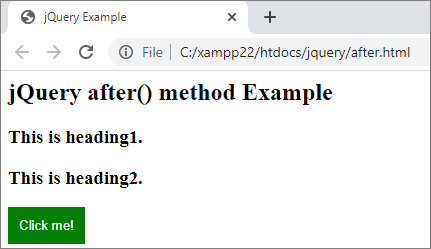 When you click the button,

Share:







Comments
Waiting for your comments